Introducing CueDeck Event Check-in
Guest list, QR emails, a desk that checks whole companies in at once, door scanner phones and a live dashboard. One price per event.

Registration is the first thing every guest sees, and usually the part with the least software behind it: a printed list, a highlighter and a queue that stretches into the street. Today we are launching CueDeck Event Check-in to fix that.
Check-in runs the registration desk for one event, from the guest list to the report afterwards. It works on its own or alongside the CueDeck console you already use for the show, with the same login and the same events.
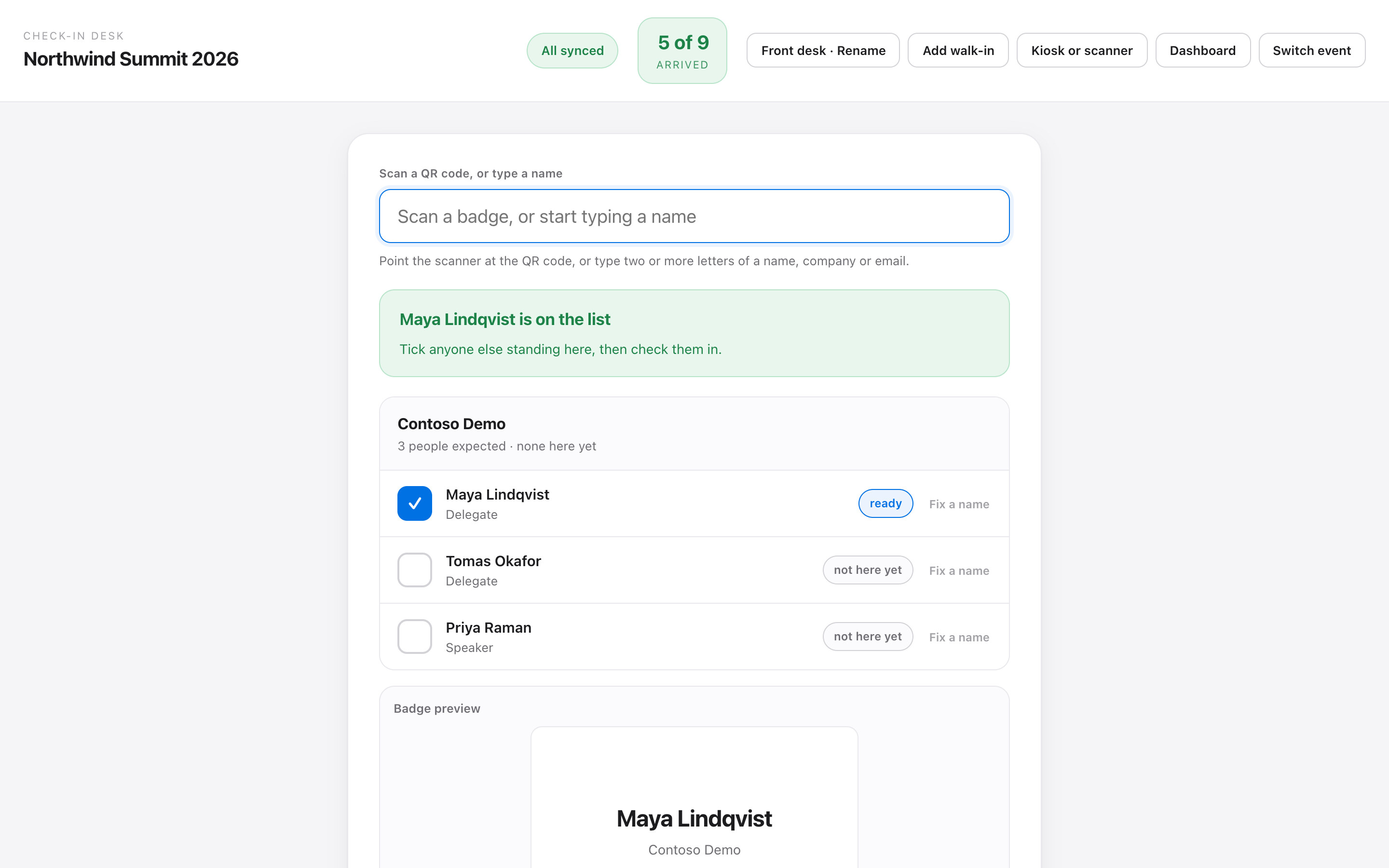
Built for the twenty minutes when everyone arrives
Most check-in tools treat every guest as a separate scan. In practice people arrive in groups: a team from the same company, a speaker with a colleague. On the CueDeck desk, one scan or search brings up everyone from that company. Tick who is standing there and check them in together.
- Scan or search. A USB QR scanner, or two letters of a name, company or email.
- Badges on demand. Badges print through Chrome to any printer the laptop can use. No print server.
- Walk-ins. Add them at the desk, or let them register themselves on a paired kiosk tablet.
- Mistakes are undoable. Every correction is kept in the log; nothing is erased.
- Works offline. If the venue Wi-Fi drops, the desk keeps going and syncs when it is back.
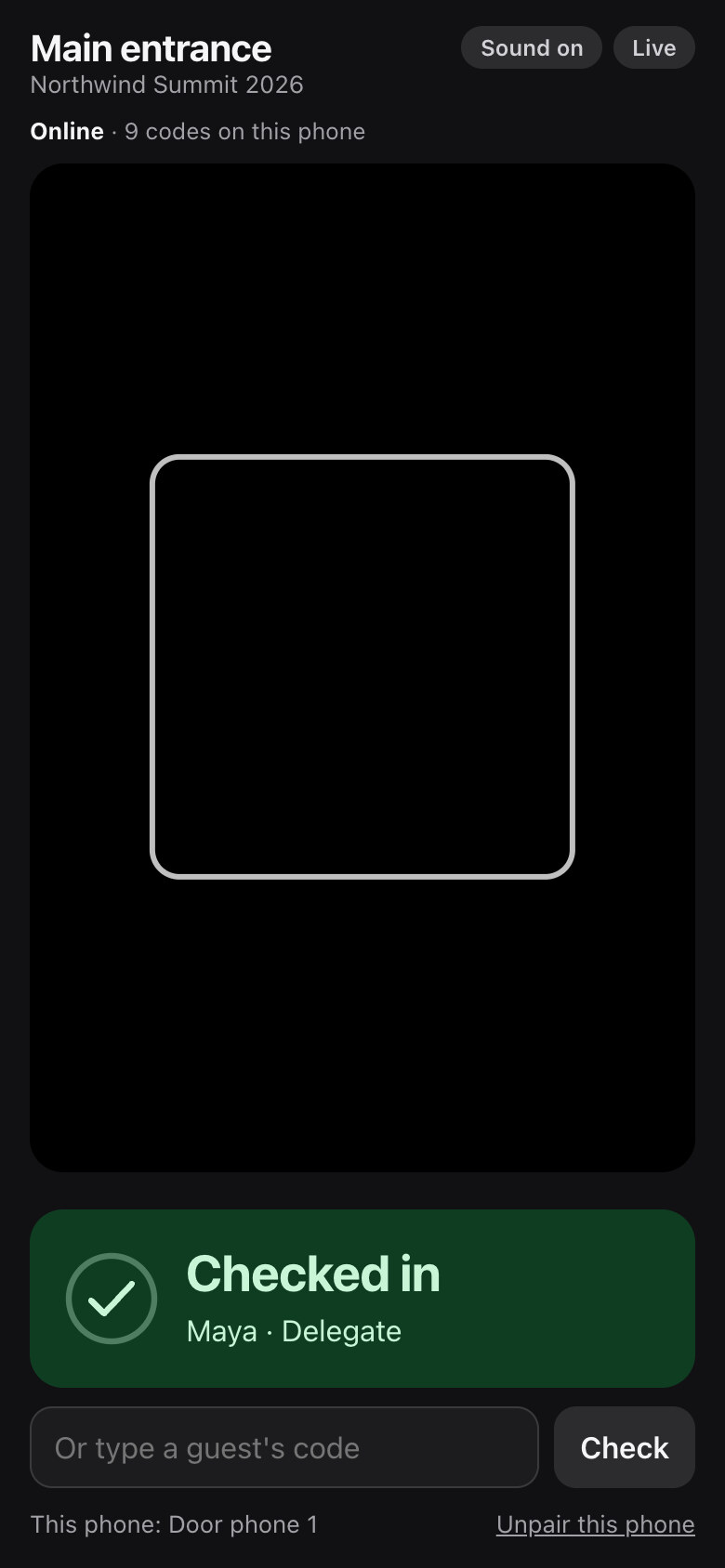
Any phone is a door scanner
Pair a phone from the desk, choose its door, and it checks people in without a desk at all. It confirms each guest with a sound and a clear tick, tells you when someone is already in, and refuses codes from other events. The phone keeps only the list of codes, never names, so a phone left on a chair gives nothing away.
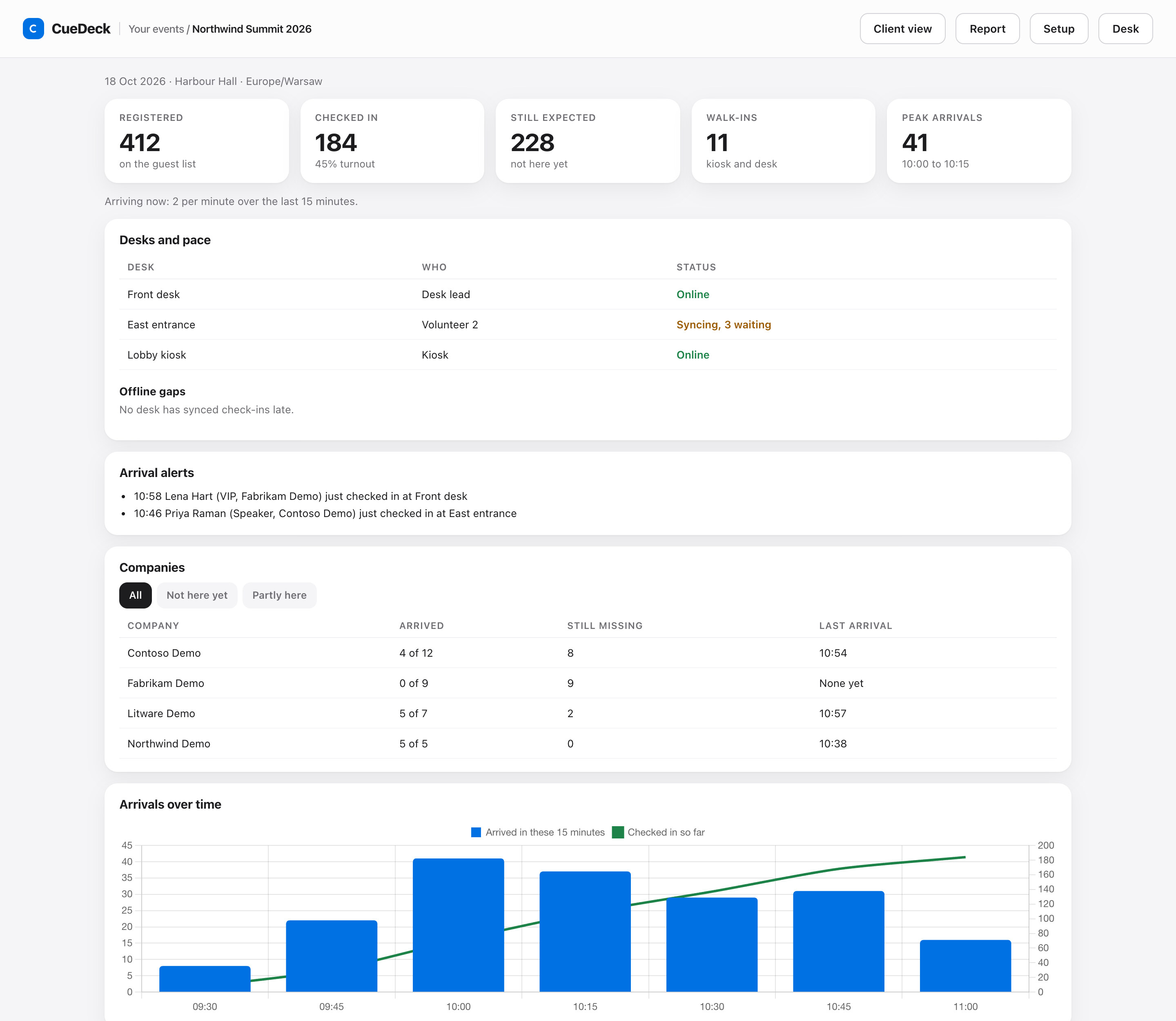
See the doors from anywhere
The live dashboard shows arrivals every fifteen minutes, every desk and whether it is synced, and a company board with who is here, who is partly here and who has not arrived. Choose ticket types such as VIP or Speaker, and the dashboard and desk leads see an alert the moment one of them checks in.
The report writes itself
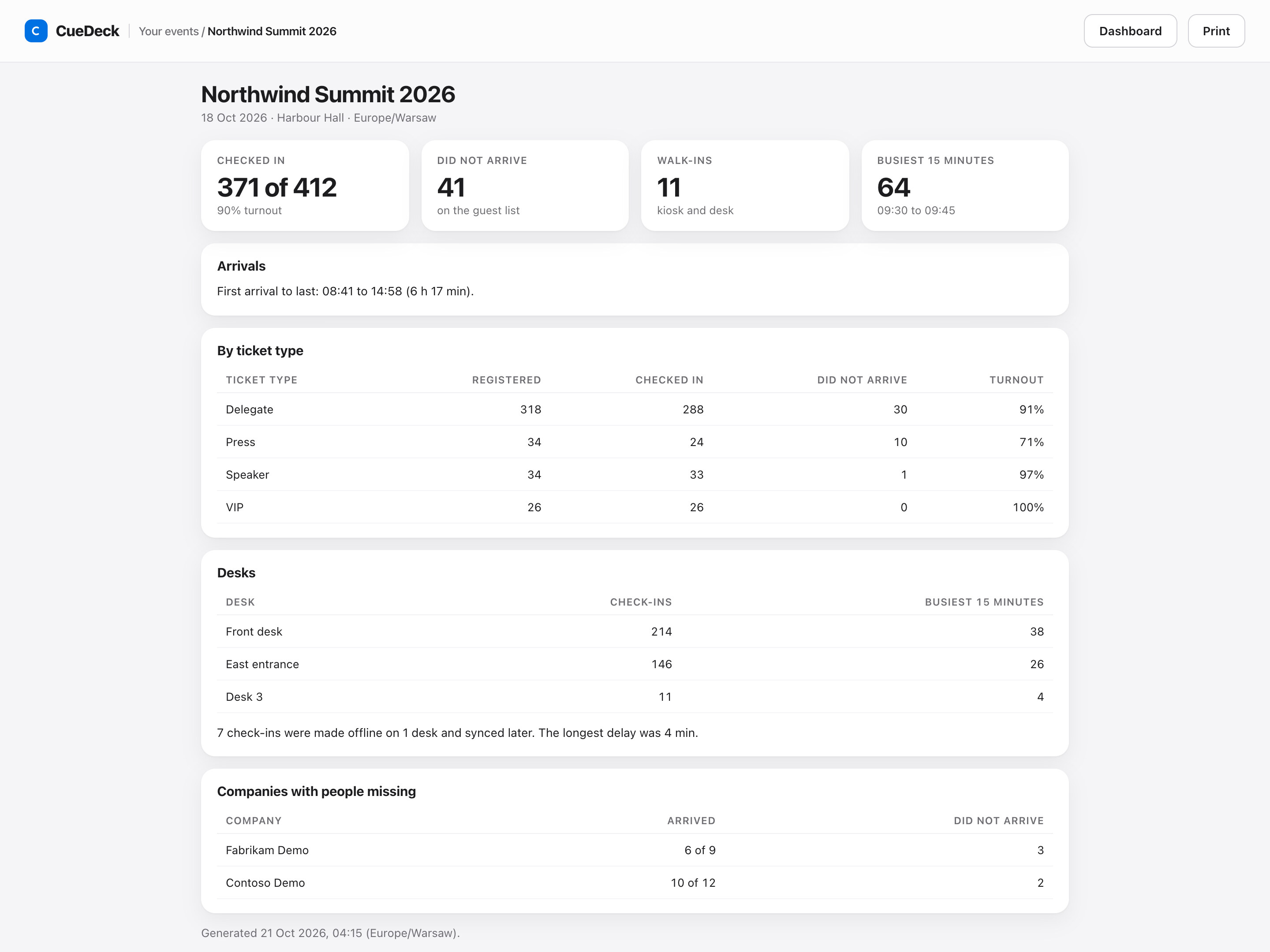
When check-in closes, the event owner gets a report by email: turnout by ticket type, the busiest fifteen minutes, check-ins per desk, anything that was checked in offline and synced later, and the companies that had people missing.
Set up in an afternoon
- Import your guest list from a CSV. CueDeck shows who will be added, updated or skipped before anything is saved.
- Invite your team by email as organizers, desk leads, crew or viewers. They only ever see your event.
- Rehearse in test mode: everything works, with up to 25 test check-ins that are cleared when you go live.
- Go live, then send every guest an email with their personal QR code.
The full walkthrough is in the docs: Run check-in for your first event.
One price per event
Setup and testing are free. You pay once per event when you go live, with no subscription, no per-attendee fees and no ticket commission. The current price is on the event check-in app page.
Set up your first event and try the desk with your own team today.